
Your First Project
This guide walks you through a practical scenario within a Homestay Management System—“Room Booking & Points Redemption.” It is designed to help you quickly master the core workflows of TocoAI and understand the philosophy of Model-Driven Development in the AI Era.
Business Context: Members add room types and quantities to a cart and place a single order. The system must verify room availability. Upon confirmation, it processes payment, generates a successful booking order, deducts points, and records consumption details.
Project Setup
Prerequisites
- TocoAI Plugin Installed and Configured: Either the IntelliJ IDEA Plugin or the VS Code Extension.
Choose Your Project Mode
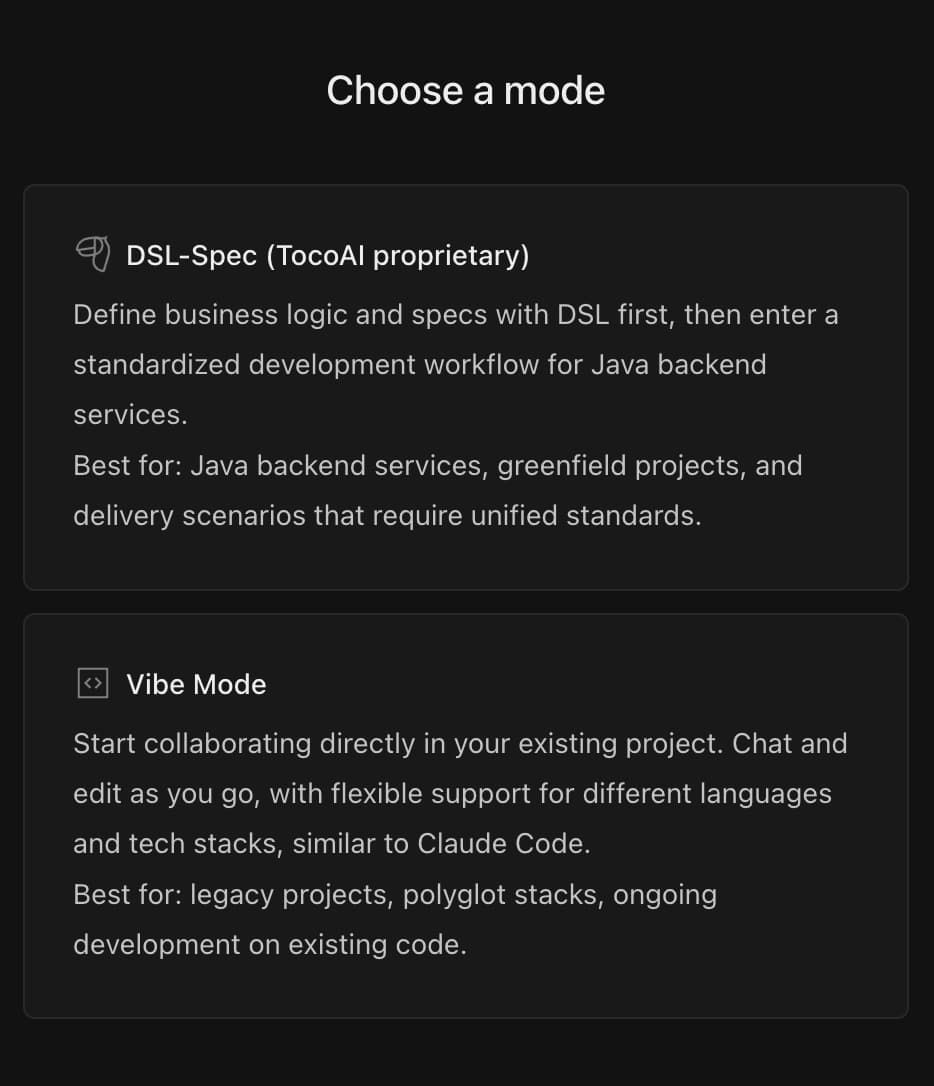
When you first open the TocoAI chat panel outside of a Toco project, you’ll see a mode selection screen:
- DSL-Spec Mode: Built around Model-Driven Development (MDD). Ideal for new Java backend projects, providing a standardized workflow from design to code.
- Vibe Mode: Jump straight into coding with AI assistance. Supports multiple languages and tech stacks — great for working on existing codebases.
Note: Your selection is final — DSL-Spec takes effect once a Toco project is created, while Vibe mode is locked in immediately. Choose DSL-Spec if you plan to use the full modeling capabilities.
Create a New Toco Project
Toco’s unique Model-Driven Development (MDD) capabilities are exclusive to Toco Projects. Currently, the Java Spring ecosystem is supported, with more languages coming soon.
Note: In standard projects, Toco functions as a traditional AI Coding Assistant.
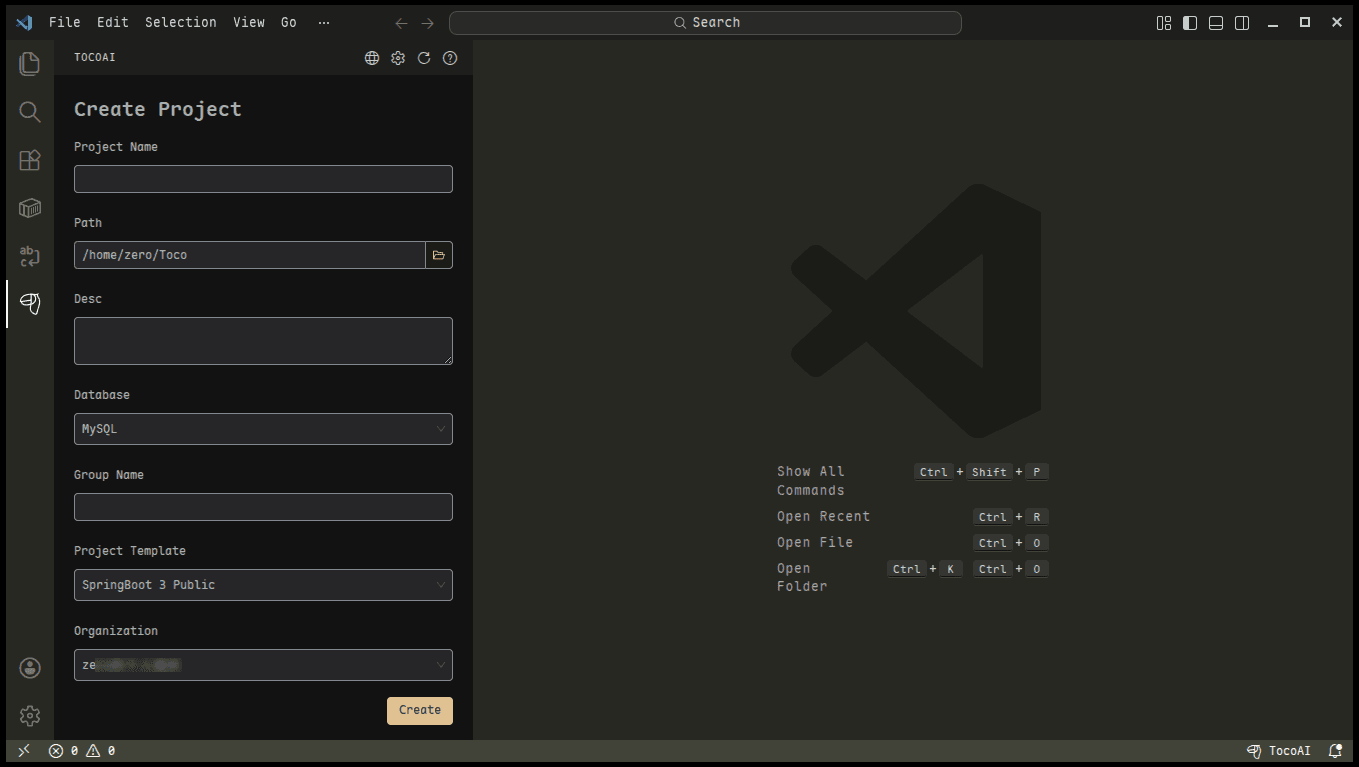
How to create a Toco Project in VS Code: Open a new window (File ➔ New Window) ➔ Click the TocoAI icon ➔ Create Project.
Input Requirements
Input the requirements document as an attachment in the Agent Chat window.
Analysis and Modeling
Requirement Analysis
When a request involves a new project, a cross-module workflow, or business rules and system boundaries that need to be aligned first, the System Analyst organizes the business goals, system entry points, key rules, state changes, and main workflows into a reviewable requirement analysis. This is not mandatory for every task: when the existing context is sufficient and the delivery target is clear, TocoAI can proceed directly to modeling, to-do creation, or planning. In this example, you can inspect the analysis and request changes; once confirmed, its conclusions become the shared requirement baseline for the following stages.
Accumulate Business Knowledge
Long-term business knowledge complements the structured design information in the DSL Spec. Rather than repeating model details, it retains reusable business essentials such as global context, shared terminology, key rules, and core state machines. The Agent workflow maintains this knowledge automatically as requirements and implementation evolve; you can review and accept the result so that later sessions can reuse the context.
Domain Modeling
The Domain Architect will automatically generate the Domain Model (including ER Diagrams, Value Objects, Aggregates, etc.) based on your requirements.
- Core Example: An aggregate object containing “Order Information” (comprising the main order table
booking_order, order item tableorder_item, etc.). - Flexible Modification: You can request modifications via Chat or manually adjust the model directly within the visual editor.
Tip: View Design Models Anytime Click the Toco Icon in the chat dialog to access and edit the Domain Models, Service Models, and more for all modules at any time.
Requirement Breakdown
The Toco Agent organizes the confirmed requirements into tasks that can be planned, developed, integrated, and accepted independently. A to-do can represent an API, scheduled job, message, callback, shared capability, or another executable unit.
- Each to-do describes its business goal, key rules, expected outcome, and business scenario.
- Priority indicates the recommended implementation order, while complexity represents implementation risk and effort. They are evaluated independently.
- You can review and adjust the to-dos before adding them to the workbench, then continue managing them there later.
Planning and Development
Start an Independent Session for a To-do
Select a to-do in the workbench and start an Independent Session. If the to-do list has been closed, reopen it from the button in the lower-right corner, then select the task you want to execute. The confirmed goal, rules, and context travel with the task, allowing the next planning step to stay focused on the current execution unit.
Note: Closely related to-dos can share a session, but avoid adding too many complex tasks at once. A focused context produces better results.
Design Planning
The Planner Agent combines the current requirement context, project knowledge, existing designs, and code into a reviewable implementation plan. It identifies the objective, current state, impact range, key dependencies, risks, next responsible Agent, and execution items. Once confirmed, the plan becomes shared context for continued collaboration across design, development, and testing.
Service Design
Once confirmed, the Designer Agent completes the relevant service modeling based on the plan:
- Read Model:
- Toco-DTO (Data Transfer Object): A data structure formed by aggregating multiple tables using foreign keys. Example: Assembling the list of order items within the “Room Type Detail DTO” (extended via the foreign key
room_type_id).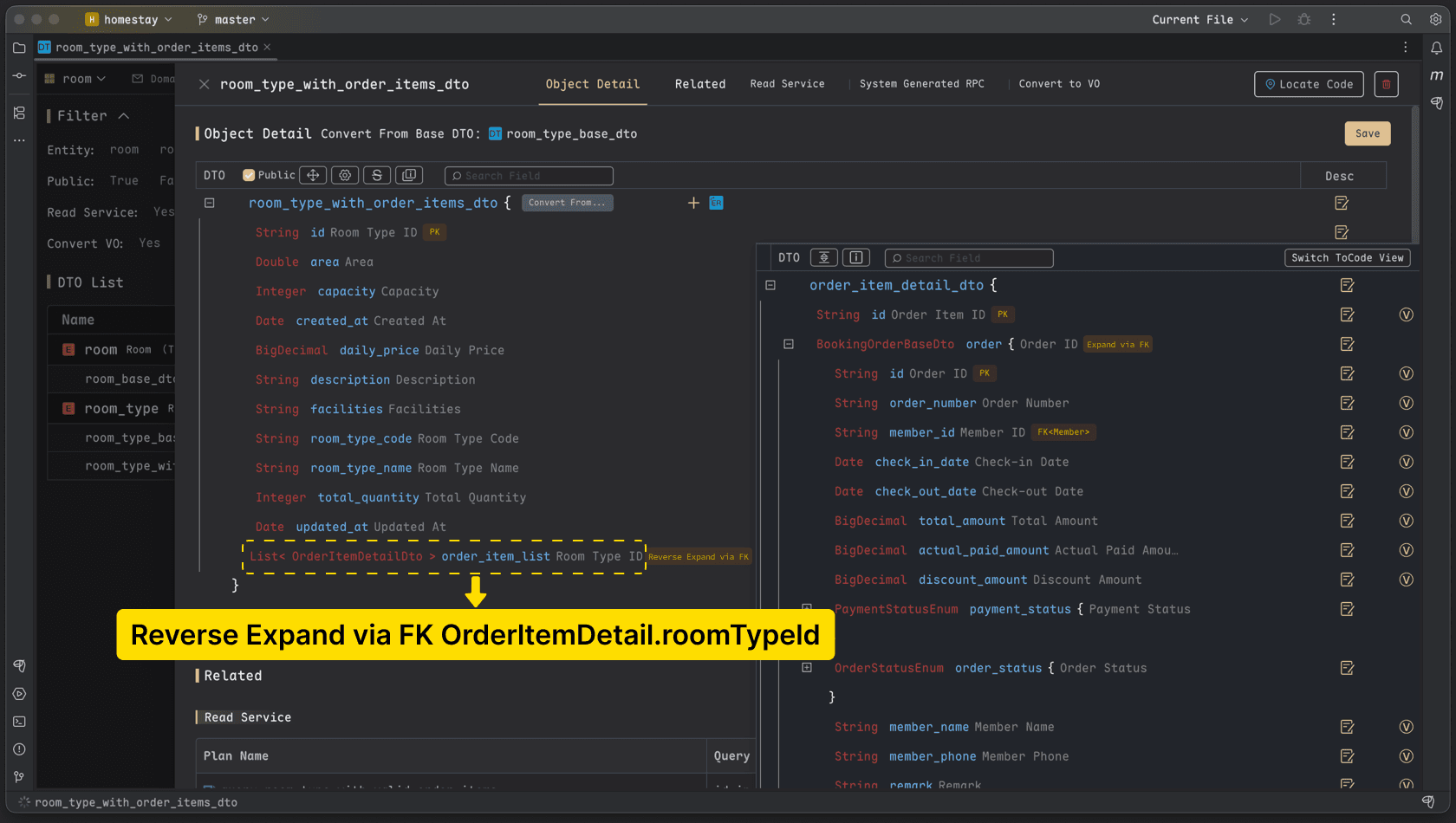
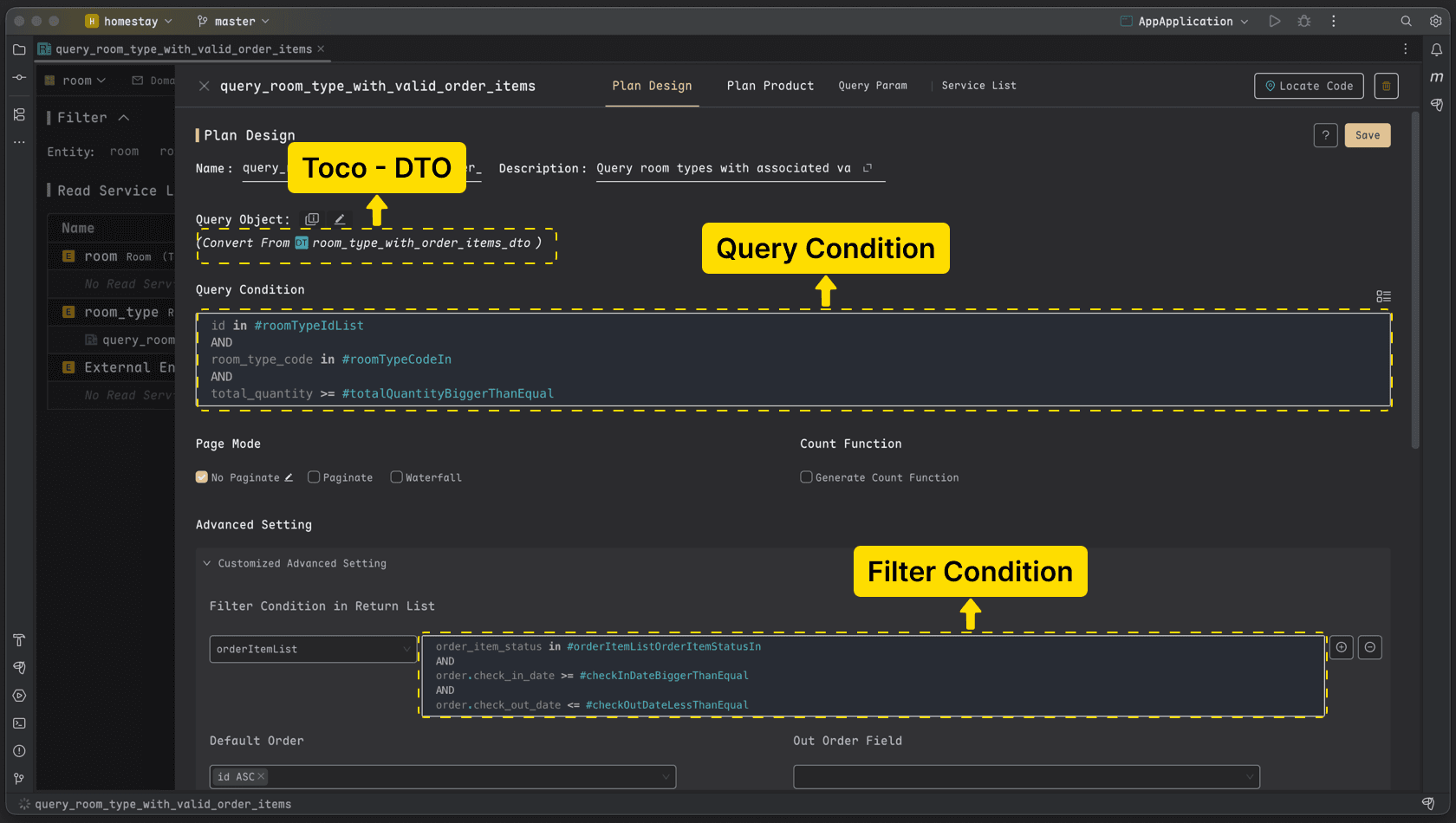
- Read Plan: Uses the DTO as the return value. Adopts an object-oriented query approach supporting efficient cross-table retrieval. Example:
- Filter room types by ID, code, total quantity, etc.:
id in #roomTypeIdListANDroom_type_code in #roomTypeCodeInANDtotal_quantity >= #totalQuantityBiggerThanEqual - Synchronously fetch valid order details for the room type within a specific date range:
filter orderItemList:order_item_status in #orderItemListOrderItemStatusIn AND order.check_in_date >= checkInDateBiggerThanEqual AND order.check_out_date <= checkOutDateLessThanEqual
- Filter room types by ID, code, total quantity, etc.:
- The Read Plan efficiently defines the Read Model: It simultaneously confirms the return value, query method, data assembly method, input parameters, and corresponding Service/API.
- Toco-DTO (Data Transfer Object): A data structure formed by aggregating multiple tables using foreign keys. Example: Assembling the list of order items within the “Room Type Detail DTO” (extended via the foreign key
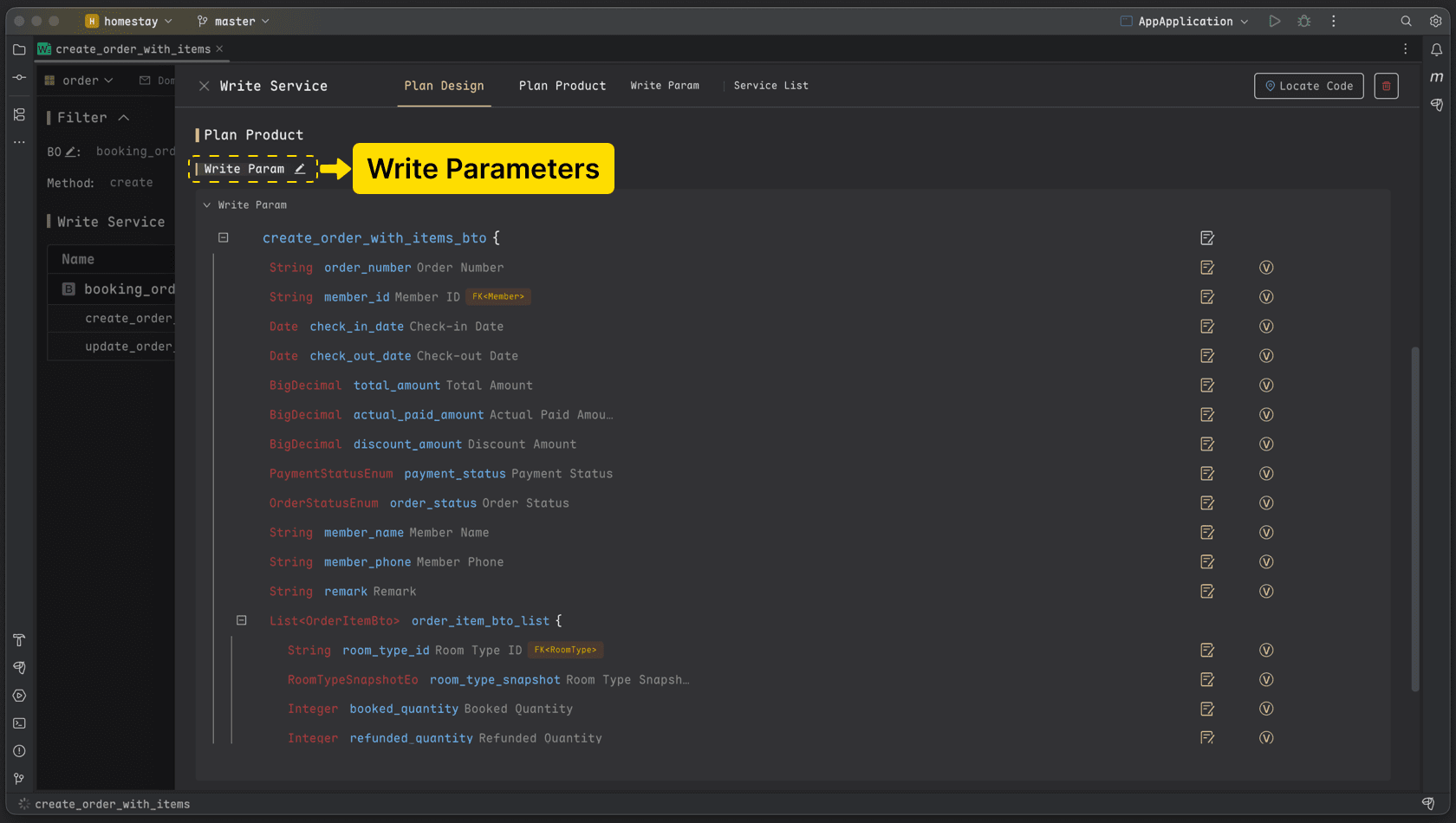
- Write Model: Defines business changes and transaction logic centered around aggregate objects. Example: In the “Place Order” workflow, execute operations like creating the order and its details (Write Plan 1), deducting points, and recording consumption details (Write Plan 2).
- [Write Plan 1] Create Order and Details: Describes creating records for two tables (
booking_order,order_item) simultaneously.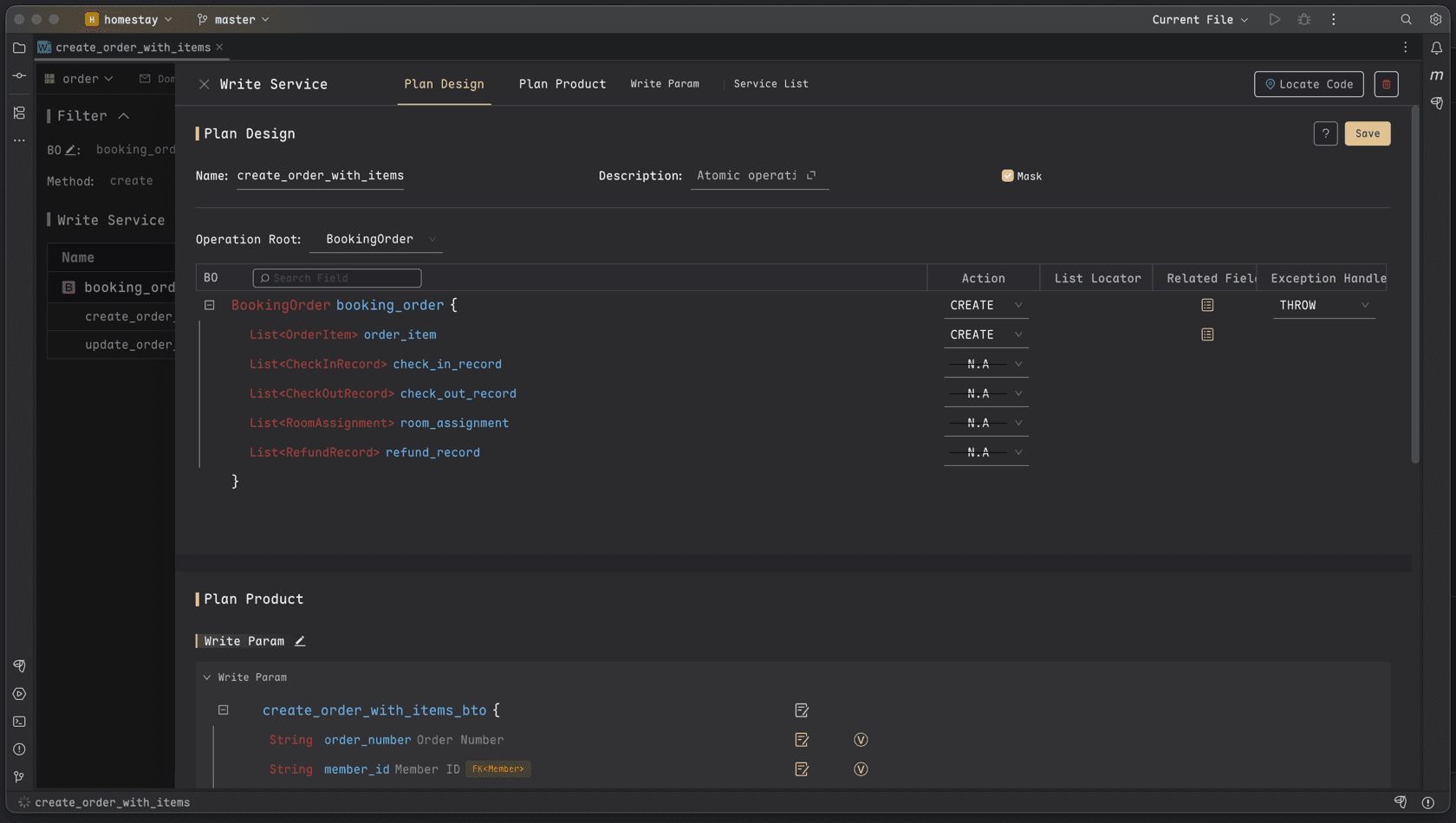
- [Write Plan 2] Deduct Points and Record Consumption: Describes updating the
memberpoints while creating the correspondingpoints_transactionrecord.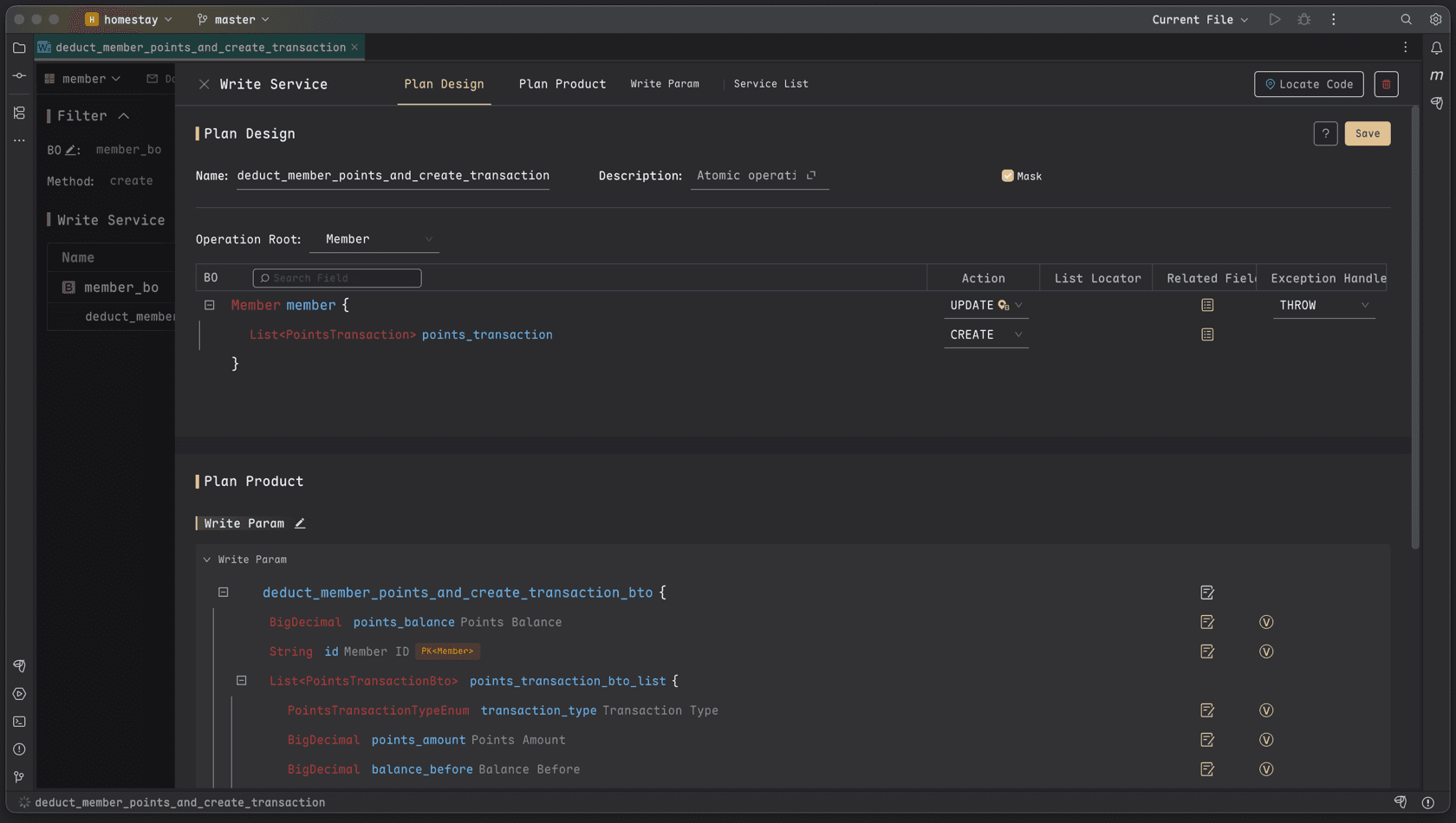
- [Write Plan 1] Create Order and Details: Describes creating records for two tables (
- The Write Plan efficiently defines the Write Service Model: It simultaneously confirms input parameters, corresponding Service/API, target business objects, and modification methods.
Code Generation: The 80/20 Rule
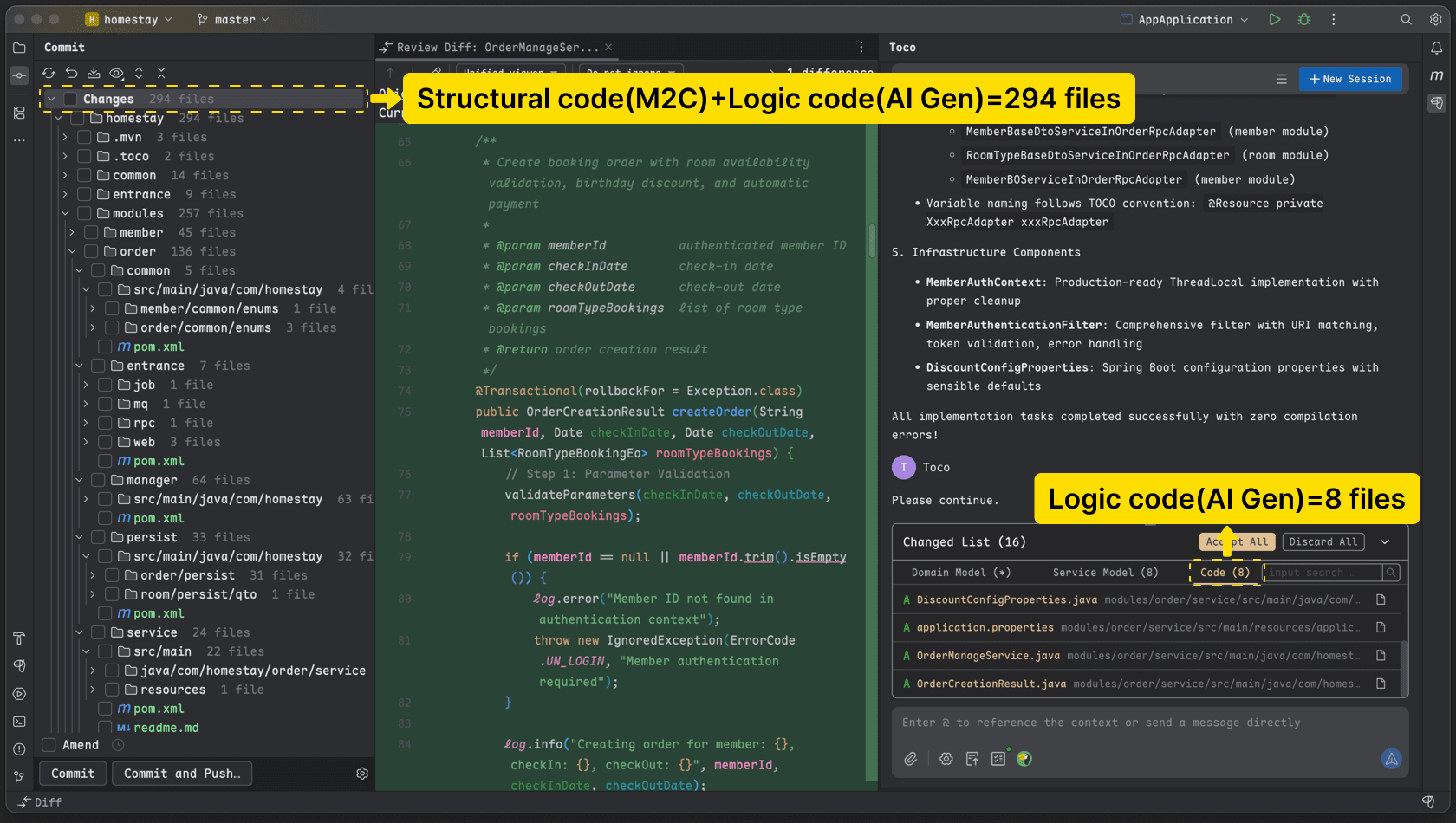
Toco features a built-in M2C (Model To Code) Engine, dividing code into two parts:
- Structural Code (~80%): Generated directly by the engine based on the modeling information above. It adheres to DDD and CQRS standards, ensuring architectural standardization and 100% accuracy. No manual review required.
- Business Logic Code (~20%): The remaining business logic is written by the Developer Agent. You only need to review this “glue code” (e.g., verifying if the requested room quantity is available, checking for sufficient points, applying birthday logic, etc.).
Accumulate Technical Knowledge
Technical knowledge is typically accumulated after the Developer Agent completes implementation. The Agent workflow retains reusable frameworks, integration constraints, and technical conventions from facts that have actually been implemented and confirmed, rather than recording ideas that have not yet been delivered. Review the index, overview, and capability details in the generated knowledge, then accept the artifacts so that later planning, development, and testing sessions can reuse them.
Testing and Validation
Unit Testing
Tester Agent: Designs and runs API-level mock unit tests from the API contract and business rules, generating test code with the necessary data and assertions. The tests exercise real business logic where practical while mocking external dependencies such as databases and third-party services, so they do not require a live database or real third-party calls. When a failure points to production code or business logic, the evidence is returned to planning and development for correction. API-level mock testing is supported today, with integration testing capabilities planned for a later stage.